

When an online evaluator runs on any run within a trace, the trace will be auto-upgraded to extended data retention. This upgrade will impact trace pricing, but ensures that traces meeting your evaluation criteria (typically those most valuable for analysis) are preserved for investigation.
View online evaluators
Head to the Tracing Projects tab and select a tracing project. To view existing online evaluators for that project, click on the Evaluators tab.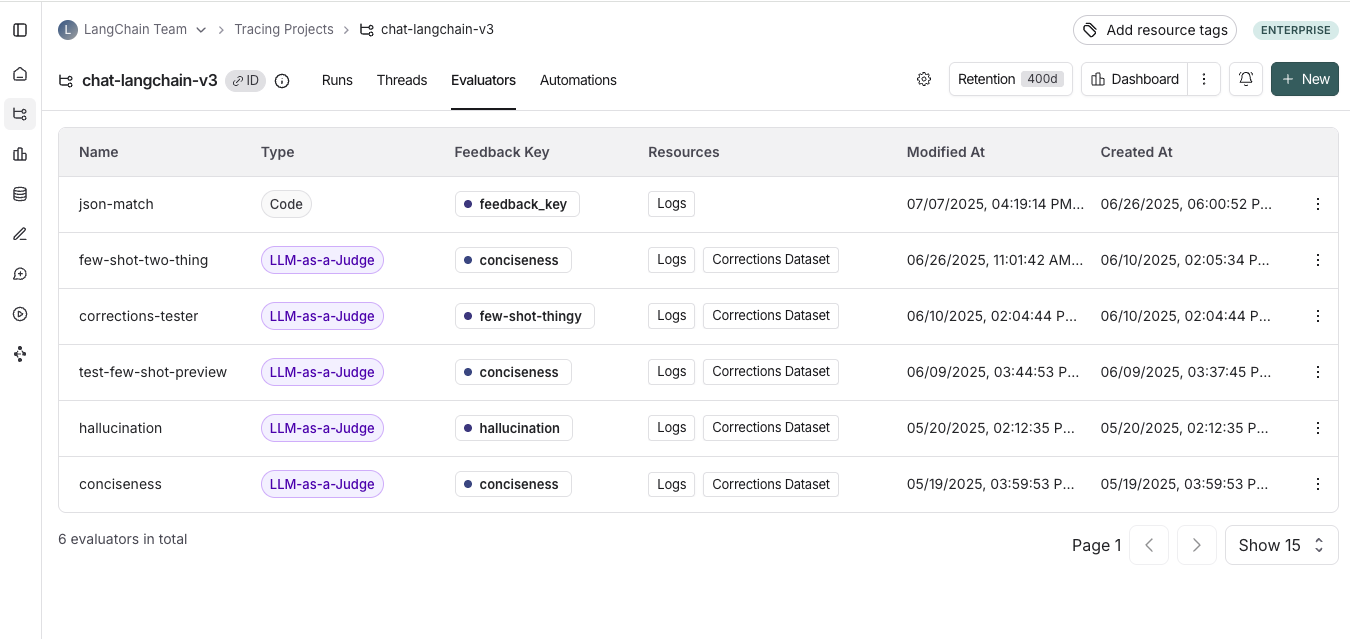
Configure composite online evaluators
You can create composite evaluators on a tracing project for online evaluations. With composite evaluators in the UI, you can compute a weighted average or weighted sum of multiple evaluator scores, with configurable weights.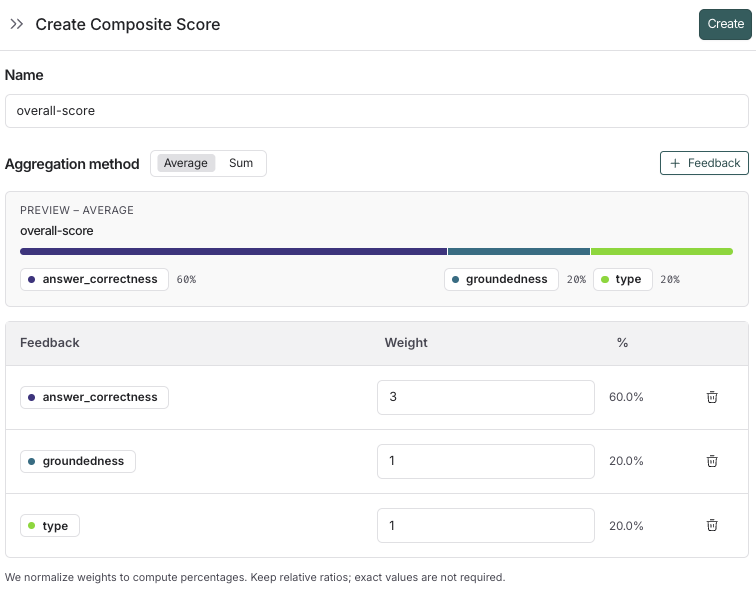
1. Navigate to the tracing project
To start configuring a composite evaluator, navigate to the Tracing Projects tab and select a project. From within a tracing project: + New > Evaluator > Composite score2. Configure the composite evaluator
- Name your evaluator.
- Select an aggregation method, either Average or Sum.
- Average: ∑(weight*score) / ∑(weight).
- Sum: ∑(weight*score).
- Add the feedback keys you want to include in the composite score.
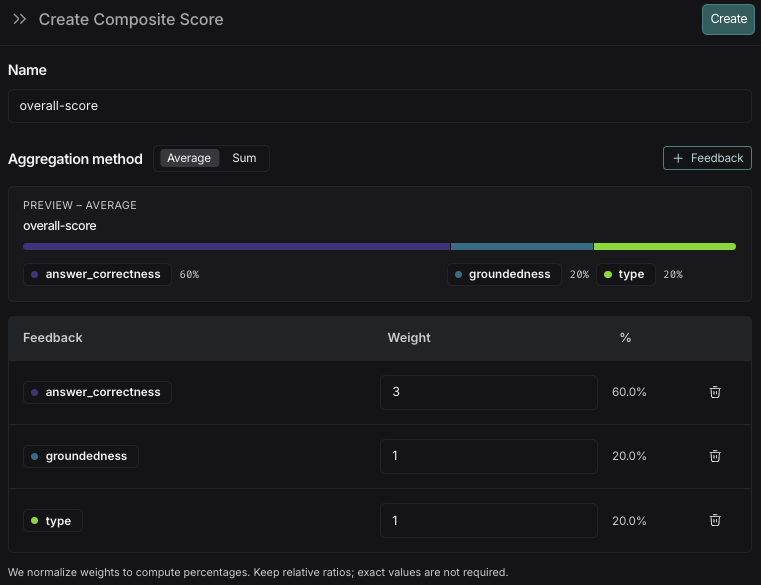
- Add the weights for the feedback keys. By default, the weights are equal for each feedback key. Adjust the weights to increase or decrease the importance of specific feedback keys in the final score.
- Click Create to save the evaluator.
3. View composite evaluator results
Composite scores are attached to a run as feedback, similarly to feedback from a single evaluator. On a tracing project:- Composite scores appear as feedback on runs.
- Filter for runs with a composite score, or where the composite score meets a certain threshold.
- Create a chart to visualize trends in the composite score over time.
If any of the constituent evaluators are not configured on the run, the composite score will not be calculated for that run.